Using the Medicinkortet App: Managing Your Prescriptions Digitally
Navigating the Danish pharmaceutical world can feel like trying to solve a puzzle where the instructions are only available in a digital language you haven’t fully mastered yet. I remember standing in a pharmacy in Aarhus during my first month here, clutching nothing but my yellow card and feeling incredibly anxious because I didn’t have a physical piece of paper for my asthma inhaler. This guide will solve that anxiety by walking you through the Medicinkortet app, the digital heartbeat of your prescription management in Denmark.
The Digital Shift in Danish Pharmacy Culture
Denmark is one of the most digitized societies on the planet, and healthcare is no exception. If you are coming from a country where you still walk out of a doctor’s office with a signed slip of paper, the Danish system will be a massive cultural adjustment. Here, everything is centralized through the Fælles Medicinkort (FMK), or the Shared Medication Record. This is a digital database where every prescription ever written for you in Denmark is stored.
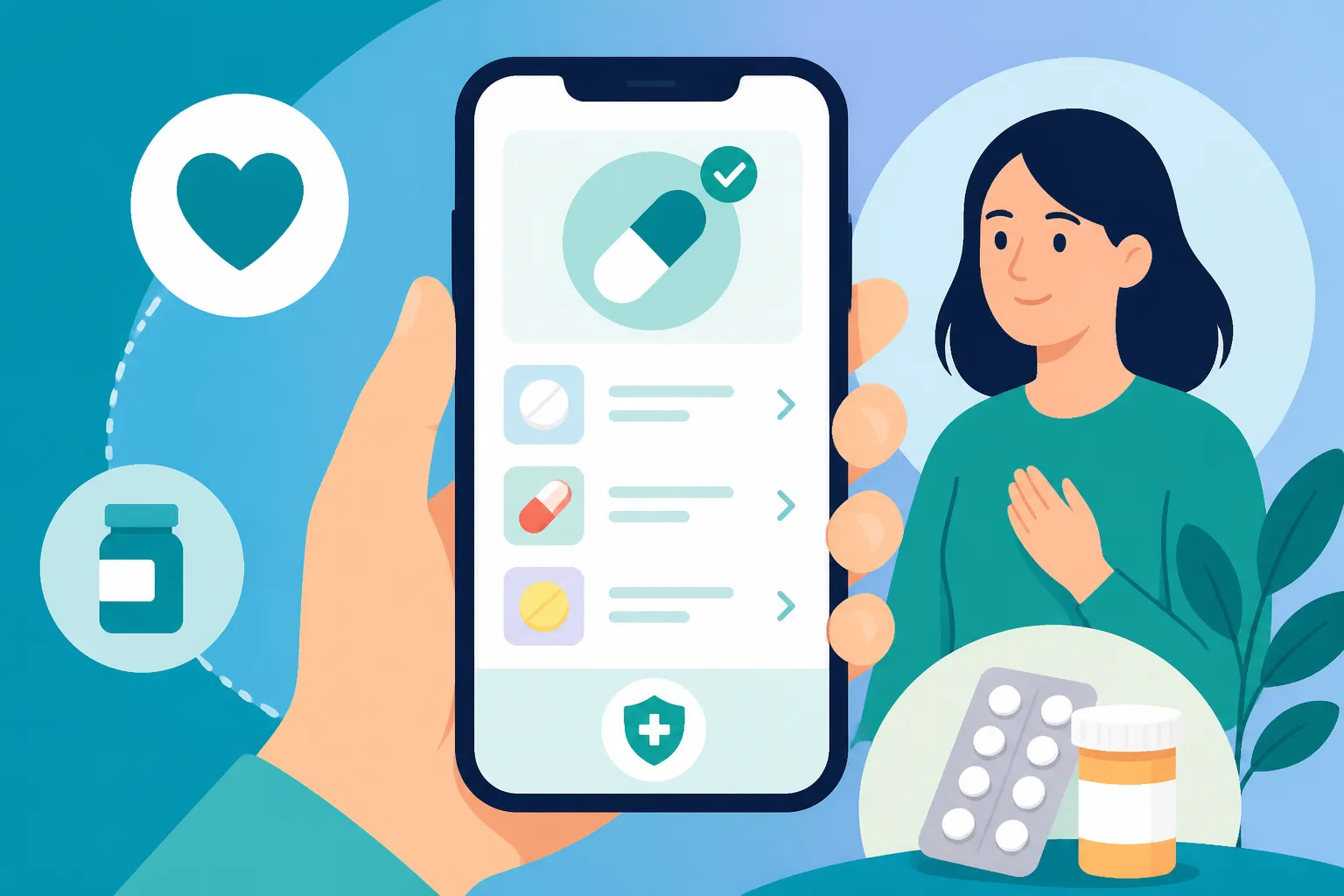
The Medicinkortet app is essentially your personal window into this database. It allows you to see exactly what your doctor has prescribed, how many refills you have left, and the dosage instructions. You no longer need to worry about losing a piece of paper or wondering if your doctor actually sent the prescription to the pharmacy. If it’s in the app, any pharmacy in the country can see it the moment you scan your card. This level of transparency is incredibly helpful for expats who are trying to keep track of multiple medications while navigating a new language.
Why Paper Prescriptions Are Obsolete in Denmark
In the Danish healthcare model, the "paperless" philosophy isn't just a suggestion; it’s the standard. When your GP (General Practitioner) issues a prescription, it is uploaded immediately to the cloud. This system prevents errors caused by illegible handwriting and ensures that different doctors—for instance, if you see a specialist or go to the emergency room—can see what medications you are already taking. This is vital for avoiding dangerous drug interactions.
For those of us used to the "old way," it can feel a bit strange to leave a consultation empty-handed. However, once you realize that your Pharmacies in Denmark: Apotek Rules, Prescriptions, and Subsidies are all linked to your CPR number, the convenience becomes undeniable. You can walk into any Apotek from Copenhagen to Skagen, scan your card, and they will have your medication ready. It eliminates the "gatekeeper" feeling of physical documents and puts the data directly into your pocket via your smartphone.
The Role of the Fælles Medicinkort FMK
The FMK is the underlying infrastructure that the Medicinkortet app pulls from. It is a national record that follows you regardless of which municipality you live in. If you move from Aalborg to Odense, your medication history moves with you instantly. This is part of the broader Healthcare in Denmark for Foreign Residents: Complete System Guide (2027) that ensures continuity of care.
One thing many expats don't realize is that the FMK also allows you to see medications prescribed during hospital stays. If you were recently discharged and can't remember what the hospital doctor told you to take, the app will reflect those updates. It’s a comprehensive history that includes everything from basic antibiotics to chronic disease management. This shared access means your GP is always kept in the loop about what specialists or hospital staff have prescribed, creating a safety net that is often missing in less integrated systems.
Setting Up and Navigating the Medicinkortet App
Getting the app running is your first "administrative win" in Denmark. You can find it on both the Apple App Store and Google Play Store under the name "Medicinkortet." Once downloaded, the setup process is strictly tied to your digital identity. You cannot use this app without a CPR number and a functioning MitID. This is often a pain point for new arrivals who are still waiting for their paperwork to clear.
If you are in that "in-between" phase where you haven't received your CPR number yet, you might need to rely on Expat Health Insurance: Coverage Before You Get Your CPR Number to bridge the gap. During this time, companies like SafetyWing can be a lifesaver, as they provide coverage for those who aren't yet fully integrated into the Danish national system. Once you have your MitID, however, the app becomes your primary tool.
Download Installation and MitID Integration
The first time you open Medicinkortet, it will ask you to log in using MitID. This is the same secure login you use for your bank and for Sundhed.dk and MitID: Navigating Denmark’s Digital Health Portals. After the initial login, you can usually set up biometric access (face ID or fingerprint) or a personal PIN code so you don't have to go through the full MitID dance every time you want to check a dosage.
It is important to ensure your phone's region settings allow you to download Danish government apps. Sometimes, if your App Store is still set to your home country (like the US or UK), the app might not appear in search results. You may need to temporarily change your store region or create a secondary "Danish" Apple ID or Google account to access local utility apps. Once installed, the interface is remarkably clean, though largely in Danish. Knowing a few key terms like "Aktuelle" (Current) and "Udløbet" (Expired) will get you 90% of the way there.
Understanding the Interface Active vs Expired Prescriptions
When you log in, the home screen is divided into clear sections. The most important one is "Medicinkortet," which lists your active prescriptions. Each entry shows the name of the drug, the strength (e.g., 500 mg), and the remaining quantity you can pick up. If a prescription was for multiple refills, you will see a count like "1 of 3 packs remaining." This is incredibly useful for planning your trips to the pharmacy and ensuring you don't run out of essential meds over a holiday weekend.
The "Expired" or "Udløbet" section is also valuable. It provides a historical record of what you’ve taken in the past year. If you find that a previous medication worked better than your current one, you can easily find the exact name and dosage in this section to discuss with your GP during your next appointment. This historical view is part of why you should know How to View Your Medical Records and Lab Results on Sundhed.dk, as the two systems complement each other in providing a full picture of your health.
Managing Medication for Your Children
One of the best features for parents is the ability to view your children’s prescriptions within your own app. In Denmark, children under the age of 18 are automatically linked to their parents' digital records. When you log in, there is a profile switcher (usually an icon in the top corner) that allows you to toggle between your own record and those of your dependents.
This makes managing family health much simpler. If your child has an ear infection and the doctor prescribes drops, you can see the prescription in the app before you even leave the clinic. You can also check if there are any pending vaccinations or related prescriptions. This integration is a core part of Family Health in Denmark: Pregnancy, Maternity, and Pediatric Care. Just remember that once a child turns 15, they can get their own MitID and may start to manage some of their own digital health data, though parents generally retain access until the child turns 18.
Requesting Renewals and Digital Communication
The Medicinkortet app isn't just a static viewer; it's a communication tool. One of the most significant frustrations for foreigners in Denmark is the realization that you can't just call a pharmacy to "refill" a prescription. In the Danish system, if you run out of refills, the pharmacy has no power to give you more. You must ask your doctor to issue a new prescription.
The app simplifies this by including a "Bestil fornyelse" (Request renewal) button next to your medications. When you click this, a request is sent directly to your GP’s system. It is much faster than calling the doctor's office during their limited phone hours. However, keep in mind that doctors usually process these requests at the end of the day or within 24 hours. Don't wait until your last pill is gone to hit that button.
How to Renew a Prescription Digitally
When you request a renewal through the app, you can often add a short note to your doctor. For example, if you are requesting a renewal for hay fever medication, you might note that your symptoms have been particularly bad this week. The doctor will then review your record and either approve the renewal or send a message back asking you to book a physical appointment for a check-up.
This digital workflow is why it is so important to understand How to Renew a Prescription Digitally via the MinLæge App. While the Medicinkortet app is great for seeing what you have, the MinLæge app is often better for the actual dialogue with your GP. Both apps pull from the same central FMK database, so an update in one will reflect in the other. It’s a "choose your own adventure" situation, but most veterans of the Danish system find that having both apps is the most efficient way to manage their care.
Tracking Prescription Status and Pharmacy Pickups
Once the doctor approves your renewal, the status in the app will change. You will see the new "pack" or "refill" appear in your active list. One of the unique things about Denmark is that your prescription isn't tied to a specific pharmacy. You don't have to "transfer" a prescription if you are traveling to another city. You can simply see that it’s active in the app and go to the nearest Apotek.
When you arrive at the pharmacy, you will scan your The Yellow Health Card (Sundhedskort): Your Key to Danish Healthcare at a kiosk or hand it to the pharmacist. They will then pull up the same information you see in your app. Pro-tip: if the app shows a prescription is active but the pharmacist says they can’t see it, check if it was issued as a "hand-on" prescription or if there's a specific start date attached to it. Occasionally, for controlled substances, doctors might post-date a prescription so it only becomes active when your current supply is legally supposed to run out.
| Feature | Medicinkortet App | MinLæge App | Sundhed.dk |
|---|---|---|---|
| View Active Meds | Yes | Yes | Yes |
| Request Renewals | Yes | Yes | Yes |
| See Lab Results | No | Yes | Yes |
| Child Records | Yes | Yes | Yes |
| Booking Appointments | No | Yes | No |
| Vaccination History | Yes | Yes | Yes |
The Prescription Subsidy (Tilskud) System
The Medicinkortet app is also where you track your "CTR balance." CTR stands for Centralt Tilskudsregister, and it is the system that manages the Danish medicine subsidy scheme. Unlike some countries where you pay a flat co-pay, Denmark uses a sliding scale based on how much you spend on reimbursable medicine within a one-year period.
The more you spend, the higher the percentage the state covers. The app allows you to see exactly where you are in this cycle. Your "year" starts the first time you buy a subsidized medication after your previous period has expired. For expats with chronic conditions, reaching the 85% or 100% coverage bracket can save thousands of kroner annually. Understanding How Medication Subsidies (Tilskud) Are Calculated at the Apotek is essential for budgeting your life in Denmark.
Understanding the CTR Balance and Refund Levels
The subsidy system is calculated automatically. When the pharmacist scans your card, the computer checks your CTR balance and applies the discount immediately at the register. You don't have to file any paperwork or "claim" a refund later. The app shows you your current total spend and tells you what your next discount level will be.
For example, the first ~1,000 DKK is usually paid out of pocket. Once you pass that threshold, the state starts covering 50%, then 75%, and eventually 85%. If your expenses are extremely high, there is a cap where the state covers 100% of the remaining costs for that year. The Medicinkortet app is the only place where you can see this balance in real-time, which helps avoid "sticker shock" when you go to the pharmacy and find your usual medication is suddenly much cheaper (or more expensive if a new year has started).
Private Insurance and Digital Health
Even with the generous public subsidies, some people choose to take out private insurance to cover the remaining out-of-pocket costs. Sygeforsikring "danmark" is a popular choice for residents, but for those just arriving or who want premium global coverage, options like Cigna Global can provide an extra layer of security. These private insurers often have their own portals, but they will still rely on the data found in your Medicinkortet to verify your prescriptions.
If you are using private insurance, you will usually pay the subsidized price at the pharmacy and then upload your receipt to your insurance provider for further reimbursement. The app provides a digital "receipt" or history of your purchases which can be used as supporting documentation. Integrating your public digital records with your private coverage is a smart way to manage the Private Health Insurance (Sygeforsikring "danmark"): Is It Worth It? question that many expats face.
Practical Scenarios and Expat Realities
Using the app sounds simple in theory, but reality often throws curveballs. One common scenario is moving to Denmark with a chronic condition and needing to continue your medication. You cannot simply show your foreign bottle to a Danish pharmacist and expect a refill. You must see a Danish GP, who will then enter the medication into the FMK system.
Once the GP has "Danish-ified" your prescription, it will appear in the app. Until that happens, you are effectively in a pharmaceutical limbo. This is why we always recommend Bringing Prescription Medication into Denmark: Schengen Certificates if you are coming from within Europe, or having a detailed letter from your home doctor if you are coming from further away. It helps the Danish doctor quickly and accurately populate your Medicinkortet.
Using the App at the Apotek
When you walk into a pharmacy, look for the "Recept" (Prescription) line. Many modern pharmacies in cities like Copenhagen use a ticket system. While you wait, open your app. This allows you to double-check which medications you actually need today. Sometimes, a doctor might have put three different things on your record, and you only need one.
By telling the pharmacist exactly which medication you want from your list, you avoid confusion. This is particularly helpful if you don't speak fluent Danish yet. You can literally point to the screen of your phone to show the pharmacist what you are there to collect. It removes the language barrier and ensures you get the right strength and quantity. Also, remember to Scan Your Yellow Card in the Waiting Room if the pharmacy has a check-in kiosk; it often alerts the staff to start preparing your digital prescriptions before you even reach the counter.
Handling Prescriptions While Traveling
If you are traveling within the EU, the Medicinkortet app remains relevant. While a Danish digital prescription isn't always directly "readable" by a pharmacy in Spain or Italy, the app serves as a verified record of what you are taking. In an emergency, showing a foreign doctor your Medicinkortet app can prove that you have a legal and active prescription in your home country.
For smoother travel, you can ask your GP to issue a "Schengen Certificate" or a paper "Travel Prescription" if you know you will need to buy meds abroad. This is one of the few times where the digital system takes a backseat to physical documentation. Regardless, having the app as a backup ensures you have all the dosage and brand information at your fingertips, which is a key part of Traveling Outside the EU: Do You Need Private Travel Health Insurance? planning.
Troubleshooting Common Issues
The app is robust, but it isn't perfect. The most common issue expats face is a "missing" prescription. You saw the doctor, they said they would prescribe it, but it’s not in the app. Usually, this is just a synchronization delay. Give it 30 minutes. If it still isn't there, it might be that the doctor saved it as a "draft" but didn't "sign" it digitally. In this case, you have to call the clinic.
Another issue is the MitID timeout. If you haven't used the app in a few months, it might require a full re-authentication. This can be annoying if you are standing at the pharmacy counter with poor cell service. Always try to open the app and log in before you leave the house to ensure everything is up to date and your session is active.
Medicinkortet vs MinLæge vs Sundhed.dk
It can be confusing to have three different platforms for health. Think of it this way:
- Medicinkortet: Your specialized tool for prescriptions and subsidies. Use this at the pharmacy.
- MinLæge: Your daily interaction tool. Use this to text your doctor or book a Booking a Doctor's Appointment in Denmark: MinLæge App Guide.
- Sundhed.dk: Your master archive. Use this on a laptop to see your full history, surgery notes, and lab results.
Most expats find that once they have all three set up, the Danish system feels less like a hurdle and more like a high-tech convenience. The transparency is actually quite liberating; you no longer have to wonder what is in your medical file because you are looking at the exact same screen the doctor is.
What to Do If You Lose Access
If you lose your phone or your MitID is blocked, you aren't completely cut off from your medication. Your The Yellow Health Card (Sundhedskort): Your Key to Danish Healthcare is your physical backup. Even without the app, a pharmacist can still see your FMK record as long as they have your CPR number and physical card.
The app is a management tool for you, but the data lives in the cloud. If you are ever in doubt, or if your phone dies while you are in line, don't panic. Just present your card. The pharmacist will be able to tell you how many refills you have left and help you navigate the process. This redundancy is what makes the Danish system one of the safest and most reliable in the world for international residents.
Healthcare Disclaimer
The information provided in this guide is for informational purposes only and is based on personal experience and current Danish regulations. This is not medical or legal advice. Always consult with your General Practitioner (Egen Læge) or a qualified healthcare professional in Denmark regarding your specific medications, dosages, and treatment plans. Healthcare laws and digital app interfaces can change; always refer to official sources like Sundhed.dk or the Danish Medicines Agency (Lægemiddelstyrelsen) for the most up-to-date requirements.