Changing Your CPR Address via Borger.dk When You Move
Moving to a new place in Denmark, whether it's just across town or to a whole new city, is exciting but can also feel like navigating a bureaucratic maze. One of the most critical tasks on your checklist, often overlooked in its complexity until you're neck-deep in boxes, is updating your official address with the CPR office via Borger.dk. This guide will walk you through the process, share hard-earned tips, and help you avoid the common pitfalls that can trip up even seasoned expats, ensuring your Danish digital life stays perfectly aligned with your physical location.
The Absolute Criticality of Your CPR Address in Denmark
Ah, the CPR number. It's more than just a personal identification number here; it's truly your digital backbone for living in Denmark. Without an up-to-date and correctly registered address tied to your CPR, the entire system grinds to a halt. We're talking about everything from your healthcare to your banking, and believe me, you do not want to be out of sync with the authorities here. It's not just a suggestion; it's fundamental to your existence as a resident.
Your Digital Lifeline: Connecting to Services
Your CPR address is the central hub through which almost all official communication and public services flow. When you update your address on Borger.dk, the ripple effect is immense. Your new address becomes the official point of contact for the tax authorities (SKAT), your bank, your employer, and even your doctor. Imagine not receiving an important letter from SKAT about your tax assessment, or a critical appointment reminder from your GP because it went to your old address. This isn't just an inconvenience; it can lead to serious administrative headaches, missed deadlines, and even financial penalties. It's about being seen and recognized by the system.
Furthermore, many digital services, particularly anything requiring MitID, rely on your registered CPR address for identity verification and security. If your registered address doesn't match the municipality's records, you might find yourself in a frustrating loop of trying to access services that suddenly think you don't exist in the right place. This digital connection is so fundamental that even something as simple as getting a library card or subscribing to a new utility provider will often require your correct, registered address. The whole system is built on this foundation, so don't underestimate its importance.
Legal Obligations and Potential Consequences
It’s not just about convenience; it’s a legal requirement. As a resident in Denmark with a CPR number, you are legally obligated to register your correct residential address with the Danish Civil Registration System (CPR-registret) within five days of moving. This is known as "bopælspligt," the duty to have a registered address. Failing to do so can lead to a range of unpleasant consequences, from fines to difficulties accessing essential public services. The Danish authorities take accurate population registration very seriously, as it forms the basis for everything from municipal services to electoral rolls.
Beyond fines, an incorrect address can cause significant disruption to your life. For instance, your The Yellow Health Card Sundhedskort: Your Key to Danish Healthcare is tied to your address, which in turn determines your assigned GP. If you move and don't update your address, your old GP remains listed, potentially complicating access to healthcare in your new area. Important documents, including your new yellow health card or official letters from your municipality or SKAT, will be sent to the outdated address. In the worst-case scenarios, an outdated address might even affect your eligibility for certain benefits or your ability to renew your residence permit, as proof of stable residency is often required. It’s truly not something you can just put off.
Before You Move: Preparing for the Address Change
Moving itself is enough stress, but a little preparation can make the address change process much smoother. Trust me, you don't want to be scrambling for documents or clarity when you're already surrounded by moving boxes and unpronounceable furniture instructions. Being proactive here saves a world of pain later on.
Timing is Everything: When to Notify
The Danish system allows you to notify them of your move up to four weeks before your actual moving date, and as mentioned, you must do it no later than five days after you've moved. My advice? Do it as soon as you have a confirmed new address and a signed rental contract or purchase agreement. Don't wait until the last minute! Giving yourself that window means that by the time you actually unpack your first box, the wheels of Danish bureaucracy are already turning, and your new address is on its way to being officially registered.
If you notify them early, your address change will officially take effect on your specified moving date. This allows everything to switch over seamlessly. If you notify them late, say, more than five days after moving, you might face some minor administrative delays or questions, although typically not immediate fines for a first offense if it's only slightly overdue. The most crucial thing is to have your new, legitimate address ready. This isn't the time for temporary Airbnb registrations; it needs to be an address where you genuinely live and have a right to reside, meeting the CPR Bopælspligt: The 180-Day Residency Requirement for Housing guidelines. If you're using temporary solutions for your housing search, platforms like Spotahome can be great for finding short-term furnished rentals, but always double-check if such an address can legally be used for CPR registration. Often, these are not suitable for permanent registration.
Essential Documents and Information You'll Need
While the process is digital, you'll still need some key pieces of information and your trusty NemKonto and MitID: The Core of Danish Digital Finance (2027) at hand. Here's a quick checklist:
- Your MitID: This is your digital signature and access key to Borger.dk and virtually all public digital services. Make sure your MitID app or code display is working, charged, and ready to go. If you've had issues, resolve them before you need to move.
- Your Current CPR Number: While MitID usually pulls this automatically, it's good to have it handy.
- Your Old Address: Obviously, the system needs to know where you're moving from.
- Your New Address: This is the big one! You'll need the full street name, house number, floor, and side (if applicable, e.g., 'tv' for left, 'th' for right, 'mf' for middle).
- Your Moving Date: The date you officially move into your new residence.
- Property Information: Sometimes, especially if it's a new build or a slightly unusual address, you might need information like the BFE number (Building and Dwelling Register) or matricular number, though this is rare for standard apartment moves.
- For Rental Properties: The name of your landlord or housing association. You might also need the start date of your rental contract.
- For Owned Properties: If you've purchased a home, you'll simply register the address as yours.
Gathering these details beforehand, perhaps in a simple note on your phone or a piece of paper, will save you from scrambling during the Borger.dk process. It’s all about making the digital experience as smooth as possible by having your analog ducks in a row.
The Borger.dk Gauntlet: Step-by-Step Guide to Updating Your Address
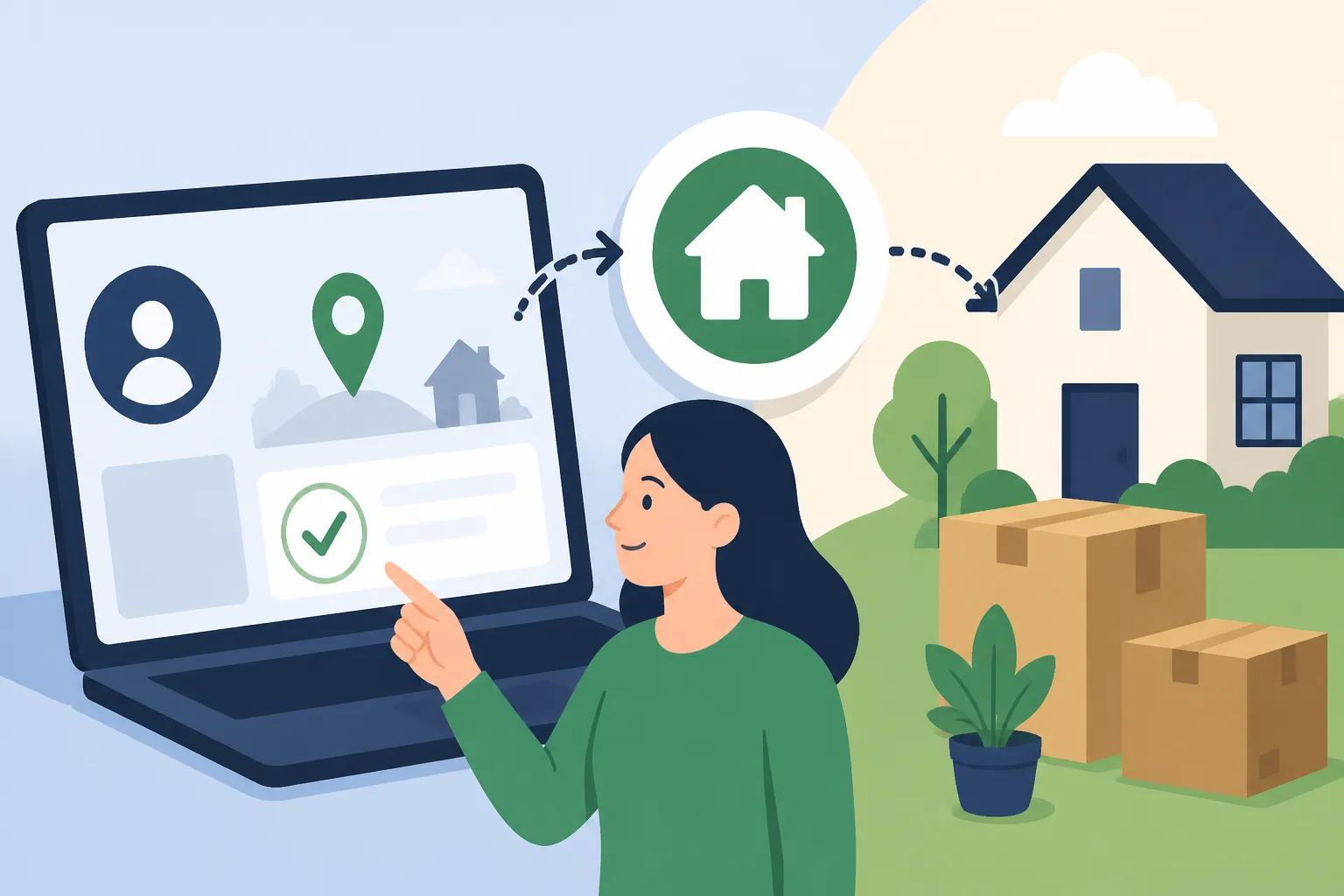
Now, for the main event! Borger.dk is the official public information portal and your gateway to interacting with the Danish state digitally. While it can sometimes feel a bit overwhelming for newcomers, the "flytning" (moving) service is quite user-friendly once you know where to look.
Logging In with MitID: Your Digital Key
The first step, as with almost any official digital task in Denmark, is to log in using your MitID. Head over to Borger.dk. You’ll typically see a large "Log ind" (Log in) button, often at the top right corner. Click that, and you'll be prompted to use your MitID. This usually means opening your MitID app on your phone or using your code display and entering the code it generates. It’s essential to have your MitID working perfectly, as it’s the only way to securely access your personal data and initiate changes.
If you’re having trouble with your MitID, perhaps you just got a new phone, or it’s acting up, you’ll need to resolve that first. There are resources on Borger.dk itself, or you might need to contact your bank or the MitID support. Without a functioning MitID, you simply cannot proceed with the online address change. This reliance on a single digital identity system can be both incredibly efficient and incredibly frustrating if it fails. Before you move, ensure your Using MitID for Banking: Security, Device Registration, and App Setup is fully functional across all your devices.
Navigating the "Flytning" Service
Once you're logged in, you'll need to find the "Flytning" (moving) service. A good strategy is to use the search bar on Borger.dk and simply type "flytning" or "adresseændring" (address change). This will usually lead you directly to the relevant page. Alternatively, you can often find it under sections like "Bolig og flytning" (Housing and moving) or "Min side" (My page), where personal services are grouped.
On the "Flytning" page, you'll typically select "Anmeld flytning" (Report move). The system will then ask you a series of questions:
- Who is moving? (Is it just you, your whole family, or certain family members?)
- When are you moving? (Your official moving date.)
- What is your old address? (This is usually pre-filled based on your CPR.)
- What is your new address? (Here, you'll carefully input the street, number, floor, etc. The system will often auto-suggest addresses as you type, pulling from the national address register. Make sure to pick the exact match, including any apartment numbers like "st. tv." for ground floor left, or "1. sal th." for 1st floor right.)
- What type of residence is it? (Owned, rented, co-operative housing – "ejerbolig", "lejebolig", "andelsbolig" respectively.)
- If rented, who is the landlord? (Often you just tick a box indicating it's a private landlord or a specific housing association.)
It's crucial to be meticulous when entering your new address. A small typo can send your new yellow health card and other official mail to a non-existent address or, worse, to a confused neighbor. Take your time, double-check everything, and ensure it perfectly matches your rental contract or property deed.
Confirmation and What Happens Next
Once you've filled out all the required information and clicked "Send" or "Bekræft" (Confirm), you'll typically receive a digital confirmation message immediately. This confirms that your application for an address change has been submitted. This confirmation will often also be sent to your E-Boks vs. Mit.dk: Receiving Official Financial Mail from the State, which is your official digital mailbox for communications from public authorities. Keep an eye on your digital post!
What happens next?
- Processing Time: The municipality typically processes the address change within a few business days, often much faster. You'll usually receive another notification in your digital mailbox when the change is officially registered in the CPR system.
- New Yellow Health Card: Your new How Long Does It Take to Receive the Yellow Card in the Mail? will be automatically ordered and sent to your new address. This can take anywhere from 10-14 days. Remember, your old one remains valid until the new one arrives and becomes active. You will also get an email/digital post notification when it's dispatched.
- Automatic Updates: Your new address will automatically be forwarded to a range of public institutions, including SKAT, Udbetaling Danmark (payments of benefits), and your new municipality. For instance, your assigned doctor will also update automatically based on your new address, though you can still choose to How to Choose and Change Your General Practitioner GP in Denmark if you wish, providing there's availability.
Table: Automatic vs. Manual Updates After Address Change
| Service/Institution | Automatic Update via Borger.dk? | Requires Manual Update? | Notes |
|---|---|---|---|
| CPR Register | Yes | No | This is the core update. |
| SKAT (Tax Authorities) | Yes | No | They'll send mail to your new address. |
| Udbetaling Danmark | Yes | No | For benefits, child support, etc. |
| New Yellow Health Card | Yes (ordered automatically) | No (but may take 10-14 days to arrive) | Your old one is valid until the new one arrives. |
| Your Assigned GP | Yes (updates based on address) | Yes, if you want a different GP or need to confirm transfer | You might need to contact your new GP to register as a patient or arrange a first visit. |
| Digital Post (E-Boks/Mit.dk) | Yes | No | Official digital mail will automatically route to your new municipality's digital post system. |
| Bank | No | Yes | Crucial to inform your bank separately to avoid issues with cards, statements, and contact information. |
| Employer | No | Yes | Your HR department needs your new address for payroll, pension, and official work communications. |
| Utility Providers | No | Yes (unless your landlord handles this) | Electricity, internet, heating. Inform them of your move-out and move-in dates. |
| Insurance Companies | No | Yes | Especially important for home contents insurance (Indboforsikring: Why Home Contents Insurance is Crucial for Renters). |
| PostNord (Mail Forwarding) | No | Yes (optional, for non-official mail) | You can set up a mail forwarding service for private mail not handled by Digital Post. |
| Memberships/Subscriptions | No | Yes | Gym, streaming, magazines, etc. |
| Children's School/Daycare | No | Yes | Inform them of the change and any new contact details. |
Common Pitfalls and How to Avoid Them
Even with the best intentions, things can go sideways. Many expats get caught in bureaucratic tangles over address changes, often due to misunderstandings of Danish rules. The system is efficient, but it's also quite rigid about its processes.
The CPR Bopælspligt: Residency Requirements
This is where many new expats, especially those moving to Denmark for the first time or living in temporary arrangements, often stumble. The CPR Registration Rule: Why Your Address Matters is not just about having an address; it’s about having a legitimate, permanent address where you genuinely reside. You cannot, for example, register your CPR at a hotel, an Airbnb that isn't your primary residence, or a friend's address if you aren't actually living there and are just temporarily couch-surfing. The address must be your main, legal residence.
If you try to register an address that doesn't meet these criteria, your municipality might reject the application, or you could face scrutiny later. This is particularly relevant if you're stuck in The Catch-22: Getting a CPR Number Without a Permanent Address situation. Landlords are also legally obligated to provide a suitable address for CPR registration for their tenants. If you're renting, ensure your contract explicitly states that CPR registration is possible at the address. If you're looking for short-term accommodation while house-hunting, or using services like Spotahome, always verify the CPR registration possibility before committing, as many temporary rentals do not allow it.
Dealing with Temporary Accommodation & Subletting
Life happens, and sometimes your moving dates don't perfectly align. You might find yourself in temporary accommodation for a few weeks between leases. What do you do then?
Legally, if your temporary stay becomes your actual dwelling for more than a very short period (e.g., a few days), you are technically obliged to register that address. However, municipalities understand that people don't register every single temporary stay. The key is intent and duration. If you're staying at a friend's place for a week, you're usually fine not to change it. If it's a month, it gets murkier.
Subletting ("fremleje") presents its own set of challenges. If you are subletting a room or an apartment, you must ensure that the main tenant has permission from the landlord to sublet and that you are legally allowed to register your CPR at that address. Some subletting arrangements might not permit CPR registration, which leaves you in a precarious position regarding all official services. Always get written confirmation from the main tenant and ideally the landlord that CPR registration is allowed. This is a common pitfall and can lead to immediate rejection of your address change if the municipality flags it.
When Things Go Wrong: Troubleshooting Issues
Despite your best efforts, sometimes the system throws a curveball. You might receive a rejection notice, or your new yellow health card doesn't arrive. Don't panic, but don't ignore it either.
- Rejection of Address Change: If your address change is rejected, it's usually because the municipality has found an inconsistency. This could be due to a typo you made, the address not being deemed a legitimate residence, or issues with your rental agreement not being properly registered. The rejection letter (usually in your digital post) will state the reason. Your immediate next step is to contact the Borgerservice (Citizen Service) of your new municipality. They are there to help clarify the issue and guide you on how to resubmit correctly.
- Yellow Card Not Arriving: If it's been more than three weeks and your new yellow card hasn't shown up, first, check your digital post for any notifications or status updates. If nothing, contact Borgerservice. They can verify if it was dispatched, if the address was correct, and arrange for a new one to be sent. Remember, your existing yellow card remains valid until the new one arrives. If you're completely stuck without connectivity during this process, perhaps because you just moved and haven't set up home internet, having a reliable mobile connection, maybe through an eSIM from a provider like Airalo, can be a lifesaver for accessing online services or making calls.
- Digital Post Issues: Ensure your digital post is working correctly on either e-Boks or Mit.dk. All official communication about your move will go there. If you're not checking it regularly, you might miss crucial updates or requests for further information.
Beyond Borger.dk: Other Essential Updates
While Borger.dk handles the core public administration side, there are several private entities and personal contacts you'll need to update manually. This is where your personal checklist comes in handy, ensuring no loose ends.
Banks, Employers, and Utility Companies
Even though your tax information (SKAT) updates automatically, your bank typically does not receive an automatic notification of your address change. It is absolutely crucial to inform your bank directly. This ensures that any physical mail (though most is digital now), new bank cards, or other important documents are sent to the correct address. You can usually update your address via your online banking portal or by calling their customer service. Failing to do so can cause delays in receiving new cards, statements, or other critical banking communications, which can be a real headache, especially if your NemKonto and MitID: The Core of Danish Digital Finance (2027) are also linked.
Your employer is another key contact. While your tax card information will update through SKAT, your HR department still needs your new physical address for their internal records, payroll, pension contributions, and any direct mail. Inform them as soon as your address change is confirmed to avoid any discrepancies.
Utility companies – electricity, water, heating, and internet – are also your responsibility to update. When you move out of your old place, you need to inform your previous utility providers of your move-out date to close those accounts. Simultaneously, you'll need to register with new providers (or transfer your existing accounts) at your new address, specifying your move-in date. If you don't do this, you could end up paying for utilities at your old place, or worse, have no utilities at your new home! Check out Utilities Setup: Electricity, Water, Heating, and Internet for more detailed guidance on this process.
PostNord, Doctors, and Children's Institutions
For non-official mail that might still be sent physically (e.g., from clubs, private companies, or friends), you can set up a mail forwarding service with PostNord. This isn't automatic and incurs a fee, but it can be very useful for catching any stray letters for a few months after your move. It's a lifesaver for things like loyalty cards or magazine subscriptions that aren't tied to your digital post.
Although your GP theoretically updates based on your new address, it's always a good idea to confirm with your previous doctor's office that your records have been transferred or that they know you've moved. If you decide to How to Choose and Change Your General Practitioner GP in Denmark to a new doctor closer to your new home, you'll need to initiate that process yourself via Borger.dk.
If you have children, informing their school or daycare ("vuggestue" or "børnehave") of your new address is paramount. They need updated contact information for emergencies and administrative purposes. This also ties into any municipal childcare subsidies or waiting lists, which are often location-dependent. Don't assume they'll find out through the public registers; direct communication is best here.
The Ripple Effect: What Changes After Your Address Update
Once you've navigated the Borger.dk portal and informed all the necessary parties, you might wonder what the practical implications of your new address truly are. It’s more than just a different mailing label; it affects your access to local services, your healthcare, and your digital communication channels.
Your New Yellow Health Card and Digital Post
As mentioned, a new yellow health card (Sundhedskort) will be automatically sent to your new address. This card will display your new address and, crucially, the name and contact details of your newly assigned GP, who will be located within your new municipality. This is a physical manifestation of your updated registration and your key to Finding Medical Care in Denmark: GPs, Specialists, and Referrals. Until your new card arrives, your old card remains valid, so don't throw it out prematurely! If you need urgent medical attention before your new card arrives, simply provide your CPR number.
Your digital post (either via e-Boks or Mit.dk) also shifts. While the platforms themselves remain the same, official communications will now be routed through your new municipality. This means any local news, municipal bills (like garbage collection if not integrated with rent), or notices will come from your new local authority. It’s a good idea to familiarise yourself with the website and services offered by your new municipality – they are often the first point of contact for many local services.
Municipality-Specific Services and Support
Moving to a new municipality often means access to a different set of local services and support programs. For instance, if you were receiving Boligstøtte (Housing Benefit), your eligibility and the amount might change based on the rules of your new municipality. Similarly, access to local sports clubs, cultural institutions, or even local language schools (Sprogcenter) might be different.
Your new municipality will also be responsible for your child's schooling, daycare places, and the health visitor (sundhedsplejerske) service for families with young children. If you require any social support or special assistance, your new local council will now be your primary contact point. It's a good idea to visit your new municipality's website (often found by searching "[new municipality name] kommune") to explore the services available to residents and understand any local initiatives or rules that might apply to you. This is an integral part of Housing & Living in your new Danish home.
Disclaimer
Please note that while this guide provides comprehensive information based on current Danish regulations and common expat experiences, rules and processes can change. It is always recommended to verify the most up-to-date information on official government websites like Borger.dk or by contacting your local Borgerservice directly. This article is intended for informational purposes only and does not constitute legal or professional advice.