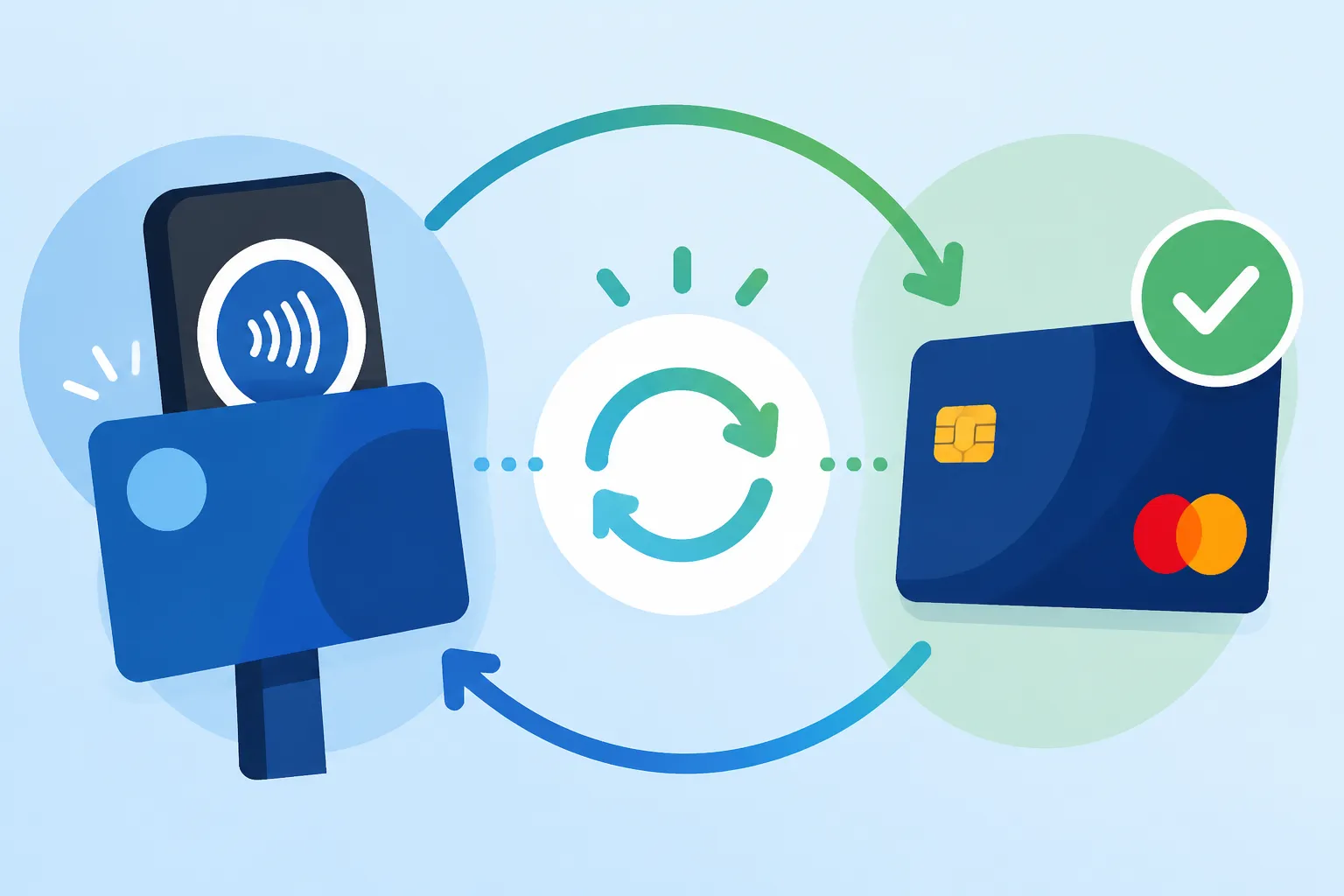
How to Top Up a Rejsekort Automatically via Credit Card
Oh, the Rejsekort. It’s one of those essential pieces of Danish life that, at first glance, seems brilliantly efficient, but then you find yourself frantically tapping it at the check-in pole only to see that dreaded "Low Balance" warning flash, often at the most inconvenient moment. You’re left scrambling for a top-up machine or a 7-Eleven, feeling that familiar expat panic. This guide is here to save you from that very specific, very Danish frustration by showing you exactly how to set up automatic top-ups via credit card, giving you one less thing to worry about in your daily Danish adventures.
What is Rejsekort AutoTop-up and Why You Need It
Let's face it, moving to Denmark involves a lot of new systems, and while the Rejsekort is undeniably clever – consolidating all your public transport across buses, trains, and the Metro onto one handy card – it comes with its own quirks. The constant need to check your balance and manually top up can be a real headache, especially if you're not used to dealing with public transport payment systems that aren't integrated with your phone or a traditional paper ticket. That's where the automatic top-up, or "automatisk tank op," swoops in like a true Danish innovation designed for convenience.
The auto-top-up feature is essentially a set-it-and-forget-it solution. You link your Rejsekort to a payment method – ideally a Danish credit or debit card – and decide on a threshold. When your Rejsekort balance dips below that chosen amount, it automatically tops up your card with a pre-selected sum. Imagine the peace of mind! No more missed trains because you're stuck at a machine, no more awkward conversations with a bus driver because your card is empty, and certainly no more kontrolafgift (fine) because you accidentally checked in with insufficient funds. This system is a lifesaver for anyone using public transport regularly, whether it's your daily commute to work or weekend excursions across the country.
There are different types of Rejsekort, and it's important to know which one you have, as it affects eligibility for automatic top-up. The most common for residents are the Personal Rejsekort (personalized with your photo and name) and the Rejsekort Flex (a personalized card without a photo, often used by those who need more flexibility or are part of a family plan). Both of these are eligible for automatic top-up. The anonymous Rejsekort, which you might buy from a machine for short-term use, cannot be linked to an automatic top-up, mainly because it's not registered to a specific person or CPR number. If you're a long-term resident, securing a personal Rejsekort is step one for truly seamless travel, and often a prerequisite for many other digital services here. It goes hand-in-hand with services like your CPR Registration and Your Healthcare Entitlement, becoming a foundational piece of your life here.
Setting Up AutoTop-up: A Step-by-Step Guide
Alright, let's get down to the nitty-gritty. Setting up the automatic top-up for your Rejsekort isn't overly complicated, but it does involve navigating the Danish digital landscape, which can feel like a labyrinth at times. Patience is key, my friends. This is Denmark, after all – efficient, yes, but often on its own timeline.
Pre-requisites for a Smooth Setup
Before you even open your browser, make sure you have a few things in order. First and foremost, you'll need your Rejsekort itself, specifically a Personal or Rejsekort Flex. You'll also need your MitID, which is the cornerstone of all digital interactions in Denmark, from banking to accessing public services. If you haven't sorted that out yet, getting your MitID is an absolute priority; it’s your key to everything from your NemKonto and MitID: The Core of Danish Digital Finance to managing your public transport. Make sure your MitID app or code viewer is readily accessible.
The third, and often most critical, prerequisite for expats, is a Danish-issued credit or debit card. While some international cards might work for one-off manual top-ups, the Rejsekort system's automatic top-up feature is generally most reliable, and sometimes exclusively compatible, with cards issued by Danish banks. I remember the frustration of trying to get various online services to accept my foreign card when I first arrived; it's a common hurdle. If you're fresh off the boat and just getting your feet wet, you might be using services like Spotahome for temporary accommodation and probably haven't even opened a proper Danish bank account yet. In that initial phase, manual top-ups will be your reality. But once you have that Danish bank account set up, which you can learn about in guides like Opening a Bank Account in Denmark: Document Checklist and Delays, getting a Dankort or a Visa/Mastercard from a Danish bank makes your digital life infinitely smoother. This card will be your best bet for successful auto-top-ups.
The Online Application Process
Once you have everything lined up, here’s how you actually get it done:
- Head to the Rejsekort Website: Your first stop is the official Rejsekort website: rejsekort.dk. This is the central hub for managing your card.
- Log In with MitID: Look for the login button, usually in the top right corner. You'll be prompted to log in using your MitID. Follow the instructions, which typically involve opening your MitID app and approving the login request. This secure login ensures that you're the rightful owner accessing your card information. If you're not quite familiar with the MitID dance, learning about Using MitID for Banking: Security, Device Registration, and App Setup will be a big help.
- Navigate to "Automatisk Tank op": Once logged in, you'll see an overview of your Rejsekort(s). Find the section related to automatic top-up. It might be under "Mine kort" (My cards) or a specific "Top op" (Top up) option. The interface is in Danish, but usually, the phrases "Automatisk tank op" or "AutoTop-up" are clearly visible.
- Select Your Card and Configure Settings: If you have multiple Rejsekort cards registered under your profile, select the one you wish to set up for auto-top-up. You'll then be asked to define:
- The Top-up Amount: This is the amount your card will be topped up with each time it hits the threshold. Common options are 100 DKK, 200 DKK, or 300 DKK. Choose an amount that suits your travel habits. If you're a heavy user, 200-300 DKK might be sensible.
- The Threshold: This is the balance at which the automatic top-up is triggered. For instance, you might set it to 50 DKK. So, when your balance drops to 50 DKK or less, the system initiates the top-up. A higher threshold gives you more buffer.
- Enter Payment Information: Here’s where your Danish credit or debit card comes in. You’ll input the card number, expiration date, and CVC/CVV code. Double-check everything carefully to avoid typos that could lead to failed transactions.
- Review and Confirm: Before finalizing, you'll get a summary of your chosen settings. Read through it to ensure everything is correct. Then, confirm the setup. You might be asked to approve the payment setup one last time via MitID, or it might be a simple click to agree to the terms.
The Crucial "Check-In" Step
Now, this is where many new expats get confused. Unlike some systems where an online top-up is instantaneous, Rejsekort auto-top-ups (and even manual online top-ups) are not immediately loaded onto your physical card. The system is designed such that the top-up is registered to your card the next time you use it to check in or check out at a Rejsekort reader.
So, after setting up your auto-top-up online, your card's balance won't visibly change on the website or in the Rejsekort app right away. The actual top-up amount will only be applied to your card at your next check-in. This means you need to perform a check-in (or check-out, if that's your first interaction) for the auto-top-up to become active. My advice? Don't assume it's live until you've tapped your card at a station or on a bus. Plenty of travellers discover this isn't always clear!
Managing Your AutoTop-up and Troubleshooting Common Issues
Once your auto-top-up is humming along, you might think you're done forever. But life changes, cards expire, and sometimes, things just go a bit sideways. Being able to manage your settings and troubleshoot problems is essential for continuous smooth sailing.
Adjusting Settings and Payment Methods
Life isn't static, and neither are your travel habits or bank cards. Thankfully, adjusting your auto-top-up settings is as straightforward as setting it up initially.
- Changing Top-up Amount or Threshold: Log back into rejsekort.dk with your MitID. Navigate to "Mine kort" and select the card with the auto-top-up. You should see options to modify the current top-up amount or the balance threshold. Perhaps you've started a new job with a longer commute, or you're now using public transport less frequently for things like going to museums or visiting friends. You can easily adapt these settings to better suit your current needs.
- Updating Expired or New Payment Cards: This is a common one. Danish bank cards, like any other, have expiration dates. When your old card expires and you get a new one, you'll need to update your payment information on the Rejsekort website. Log in, go to your auto-top-up settings, and there will be an option to change the linked payment card. Enter the details of your new card, and remember that crucial final confirmation step. Ignoring this could lead to failed top-ups, leaving you back at square one with a low balance.
- Pausing or Canceling AutoTop-up: If you're going on an extended holiday, moving out of Denmark, or simply prefer manual top-ups for a while, you can pause or cancel the service. Again, log in to rejsekort.dk, find your card's auto-top-up settings, and look for an option to deactivate or cancel. This is particularly important if you're leaving Denmark permanently, as you don't want unexpected charges on a card you're no longer using or managing from abroad. For those pondering leaving, it's worth reviewing guides like Closing Down Your NemKonto and Bank Setup Before Leaving Denmark to ensure a smooth exit.
Troubleshooting Failed Top-ups
Even with the best intentions, technology can be finicky. Here are a few common reasons why an auto-top-up might fail and what you can do about it:
- Expired or Invalid Payment Card: This is the most frequent culprit. Always ensure your linked credit or debit card is current and valid. If it's expired, update it immediately. If the issue persists, double-check the card number, expiration date, and CVC/CVV for any input errors.
- Insufficient Funds on Linked Card: The auto-top-up will attempt to draw money from your linked bank account. If there aren't enough funds, the transaction will be declined. Make sure the account linked to your Rejsekort always has sufficient balance to cover the top-up amount. This is especially relevant if you're running a tight budget and don't regularly check your bank account.
- Bank Restrictions or Fraud Prevention: Occasionally, your bank might flag the auto-top-up as an unusual transaction, especially if you've recently used the card in a new way or it’s a new card. In such cases, the bank might decline the transaction as a security measure. You might receive an SMS from your bank asking to confirm the transaction, or you might need to contact them directly to authorize it.
- Technical Glitch: While rare, technical issues with the Rejsekort system or your bank's payment gateway can occur. If you've checked all the above and the problem persists, it's worth contacting Rejsekort customer service. They usually have English-speaking support, so don't hesitate to reach out. They can check the specific status of your auto-top-up agreement.
- The "First Check-in" Factor: Remember, the top-up isn't active until you've checked in. If you think your card should have topped up but it hasn't, try checking in at a Rejsekort pole first. This often resolves the issue.
It’s often a process of elimination, but usually, the problem boils down to an outdated card or insufficient funds. Just keep calm, apply a bit of Danish logic, and you’ll get it sorted.
Alternatives and Considerations for Rejsekort Usage
While the automatic top-up is fantastic for regular commuters, it's not the only way to manage your Rejsekort, and it might not always be the best solution for everyone. Let's explore some other options and when you might want to consider them.
Other Ways to Top Up Your Rejsekort
The Danish public transport system offers several ways to add funds to your Rejsekort:
- Manual Top-up Machines: You'll find these at most train and Metro stations, as well as some bus terminals. They accept Danish credit/debit cards and sometimes cash. This is a reliable option for those who travel sporadically or prefer to control their spending more directly. Just select "Tank op" (Top up), choose an amount, and pay.
- Service Points (e.g., 7-Eleven): Many 7-Eleven stores across Denmark double as Rejsekort service points. You can top up your card there, often with both card and cash. This is super convenient, especially if you're out and about and suddenly realize your balance is low.
- Rejsekort App (for balance check and limited top-ups): The official Rejsekort app (available on iOS and Android) is excellent for checking your balance and viewing your travel history. It's incredibly handy for monitoring your usage and making sure you checked out correctly. However, as of my last check, the app primarily facilitates manual top-ups directly via MobilePay or a linked credit card, rather than setting up a fully automatic, recurring process like the website. It can remind you to top up, but it won't do it automatically in the background. If you're relying on MobilePay and Cashless Denmark: Surviving Without Physical Cash, then using MobilePay through the Rejsekort app for manual top-ups can be a good option.
- Online Manual Top-up: You can also perform a one-off top-up directly on rejsekort.dk without setting up the automatic feature. This is similar to the auto-top-up process but without the recurring element. Remember the "check-in" rule applies here too!
When Auto-top-up Might Not Be for You
While the convenience of automatic top-up is hard to beat for frequent travelers, there are scenarios where it might not be the ideal choice:
- Infrequent Travelers: If you only use public transport a few times a month, or if you primarily cycle and only use the Rejsekort for occasional trips, a manual top-up might be simpler. You won't have to worry about a recurring charge for a service you barely use. Danish cycling culture is strong, and for many, a bike is their primary mode of transport!
- Short-term Visitors or Tourists: If you're only in Denmark for a short holiday or a business trip, buying an anonymous Rejsekort and manually topping it up is usually sufficient. You won't have a MitID or a Danish bank card, making the auto-top-up setup impossible anyway. In these cases, you might be busy finding local connectivity with something like Airalo for eSIMs, rather than worrying about long-term transport solutions.
- Budget Management: Some people prefer to have direct control over every outgoing payment for strict budgeting reasons. If you're meticulously tracking your Cost of Living in Denmark 2026, manual top-ups give you that granular control over transport expenses.
- Commuter Passes (Pendlerkort): If your commute is incredibly consistent – the same route, every day – then a Commuter Passes Pendlerkort: Saving Money on Daily Train Rides might actually be a more cost-effective and even simpler solution than the Rejsekort, especially if you travel across many zones. A Pendlerkort is a fixed-price subscription for a specific route and zone combination.
Here's a quick comparison of the main top-up methods:
| Method | Pros | Cons | Best For |
|---|---|---|---|
| Automatic Top-up (via rejsekort.dk) | Set it and forget it, never run out of balance, peace of mind | Requires Danish bank card & MitID, not instant, possible unexpected charges | Regular commuters, busy expats, those seeking maximum convenience |
| Manual Online Top-up (via rejsekort.dk) | Convenient from home, avoid queues, can use MobilePay | Not instant (requires check-in), easily forgotten | Occasional users who plan ahead, those without Danish bank cards for auto-top-up |
| Top-up Machines (at stations) | Instant top-up, readily available at transport hubs | Requires physical presence, queues, limited payment options | Impulsive travelers, those with cash or non-Danish cards |
| Service Points (e.g., 7-Eleven) | Widespread, often open long hours, accepts cash/card | Slower than machines, can be inconvenient for dedicated trips | Emergencies, those who prefer in-person transactions |
| Rejsekort App (manual) | Easy balance check, can trigger manual top-ups via MobilePay | No true auto-top-up feature, relies on user initiation | Balance monitoring, quick manual top-ups on the go |
Ultimately, the choice comes down to your individual travel patterns and comfort level with digital systems. But for most expats settling into Danish life, the automatic top-up on the Rejsekort is one of those small administrative victories that genuinely makes daily life a little bit easier. It's about taking one more item off your mental to-do list and allowing you to simply enjoy the ride.
Disclaimer
Please note that while I strive to provide accurate and up-to-date information based on my personal experience and available resources, regulations and digital platforms in Denmark can change. Always refer to the official Rejsekort website or contact their customer service for the most current information. This guide is for informational purposes only and does not constitute official advice.