E-Boks: Don’t Forget to Update Your Digital Mail Address
Alright, my fellow expats, let's talk about something incredibly important that far too many of us overlook when we first arrive, or even when we move within Denmark: E-Boks. You see, when you relocate, whether it's across the country or just down the street, your physical mail gets forwarded for a while, but your digital mail – the stuff that really matters from official sources – doesn't automatically follow suit. Missing crucial information from the tax authorities (SKAT), your pension provider, or even your healthcare region can lead to a heap of stress, missed payments, or even fines. This guide is all about making sure you understand what E-Boks is, why it's so vital, and exactly how to keep your digital address updated so you don't miss a beat.
What in the World is E-Boks, Anyway?
When I first heard about "E-Boks," I pictured some kind of digital locker, maybe a secure cloud storage for documents. And while that's part of it, it's so much more. In Denmark, E-Boks is your official, personal, secure digital mailbox for communication from public authorities and many private companies. Think of it as the Danish government's primary way to send you everything from your tax assessments to your local municipality's important announcements, your utility bills, and even your bank statements.
For us expats, it's often a bit of a shock because it's not something that exists in the same form in many other countries. We're used to getting snail mail, or at least emails from individual companies. But here, the system is designed to be highly digital and efficient, meaning if you're not plugged into E-Boks, you're essentially cut off from critical communications. Everything from your annual tax statement – your Årsopgørelse – to notifications about your pension or even a reminder for a health screening might land in your E-Boks. It's truly your direct line to official Denmark, and overlooking it can have real consequences.
The Role of Digital Mail in Danish Society
The Danes are, without a doubt, masters of digital efficiency. Their reliance on platforms like E-Boks is a prime example. The idea is to reduce paper consumption, streamline administrative processes, and ensure secure communication directly with citizens. Every person with a CPR number is automatically assigned a digital mailbox, even if you don't actively use it or even know about it initially. This means that public authorities assume you receive and read your digital mail.
This isn't just a suggestion; it's practically a mandate. If the municipality, SKAT, or your healthcare provider sends you a message via E-Boks, they consider it delivered. You can't claim you didn't receive a bill or an important notification because it wasn't sent to your physical mailbox – because it wouldn't be sent there in the first place for most official communications. This is why getting to grips with E-Boks is one of the foundational steps for any expat trying to truly settle into life here. It’s part of the digital fabric of everyday life, alongside your MitID and NemKonto.
Why Updating Your Digital Mail Address is So Critically Important
You've moved! Perhaps you've finally found that perfect apartment after a long search on sites like Spotahome, or maybe you've just relocated to a new neighborhood. You probably updated your CPR address with the municipality on Borger.dk, which is fantastic – that's the first and most important step to ensure your CPR Registration Rule: Why Your Address Matters is correct.
However, many expats mistakenly believe that updating their CPR address automatically updates their E-Boks information. This is where things get tricky, and potentially problematic. While your official address for your CPR number is indeed handled by the municipality, your E-Boks is a separate service that needs to be configured by you. It's not always explicitly linked in the way one might assume.
The Pitfalls of a Stale Digital Address
Many expats have run into trouble when they didn't realize this distinction. Imagine this scenario: you move apartments. You dutifully update your CPR address, feeling like a responsible adult. But you forget about E-Boks. Months later, you find out you’ve missed a crucial payment deadline for a public service, or maybe a fine, because the notification was sent to your E-Boks, which was still associated with your old address details or simply not being checked.
- Missed Bills and Fines: This is perhaps the most common and financially impactful issue. Your utility company (electricity, heating), your bank, or even SKAT might send payment reminders, invoices, or critical notices directly to E-Boks. If you're not checking it, or if it's set up incorrectly, these can easily be missed. Late payment fees accumulate quickly, and suddenly you’re in a financial hole that could have been avoided.
- Healthcare Communications: Your region might send you invitations for health screenings, vaccination reminders, or important updates regarding your healthcare in Denmark via E-Boks. Missing these can mean delaying necessary medical attention or even losing out on crucial preventive care.
- Pension Information: Your employer's pension fund or the state pension system (ATP) will communicate important updates about your retirement savings through E-Boks. These are long-term financial decisions, and staying informed is essential.
- Immigration-Related Documents: While SIRI (the Danish Agency for International Recruitment and Integration) primarily uses its own digital portal for residence permit applications, some official correspondence, especially regarding appeals or specific documents, might eventually find its way into your E-Boks. You don't want to miss anything that could impact your legal status here.
In short, not maintaining your E-Boks can lead to a cascade of administrative headaches, financial penalties, and general stress that no one needs when navigating a new country.
How to Update Your E-Boks Digital Mail Address
Okay, now that we've firmly established why this is so important, let's get into the how. The good news is that updating your E-Boks details is a relatively straightforward process once you know where to look. It mainly involves ensuring that the contact information within your E-Boks profile is current, and crucially, that your notifications are set up correctly.
Step-by-Step Guide to Updating Your E-Boks Information
- Log In to E-Boks:
- Open your web browser and go to www.e-boks.dk.
- Click on the "Log ind" (Log in) button, usually in the top right corner.
- You'll be prompted to log in using your MitID. This is your key to accessing all secure digital services in Denmark. Make sure your MitID app on your phone is ready for verification.
- Navigate to Your Profile/Settings:
- Once logged in, look for your name or a "Settings" (Indstillinger) or "Profile" (Profil) icon, often a small person icon or a cogwheel. It's usually in the top right corner or in a left-hand navigation menu.
- Click on this to access your personal E-Boks settings.
- Review and Update Your Contact Information:
- Within your settings, you should find sections for "Kontaktinformation" (Contact Information) or similar.
- Here, you'll need to ensure your email address and phone number are up-to-date. This is vital because E-Boks uses these to send you notifications when new mail arrives.
- If your email or phone number has changed, update them immediately. This doesn't directly change your address in the geographical sense within E-Boks, but it ensures you receive alerts to check your E-Boks when new mail arrives.
- Check Notification Settings:
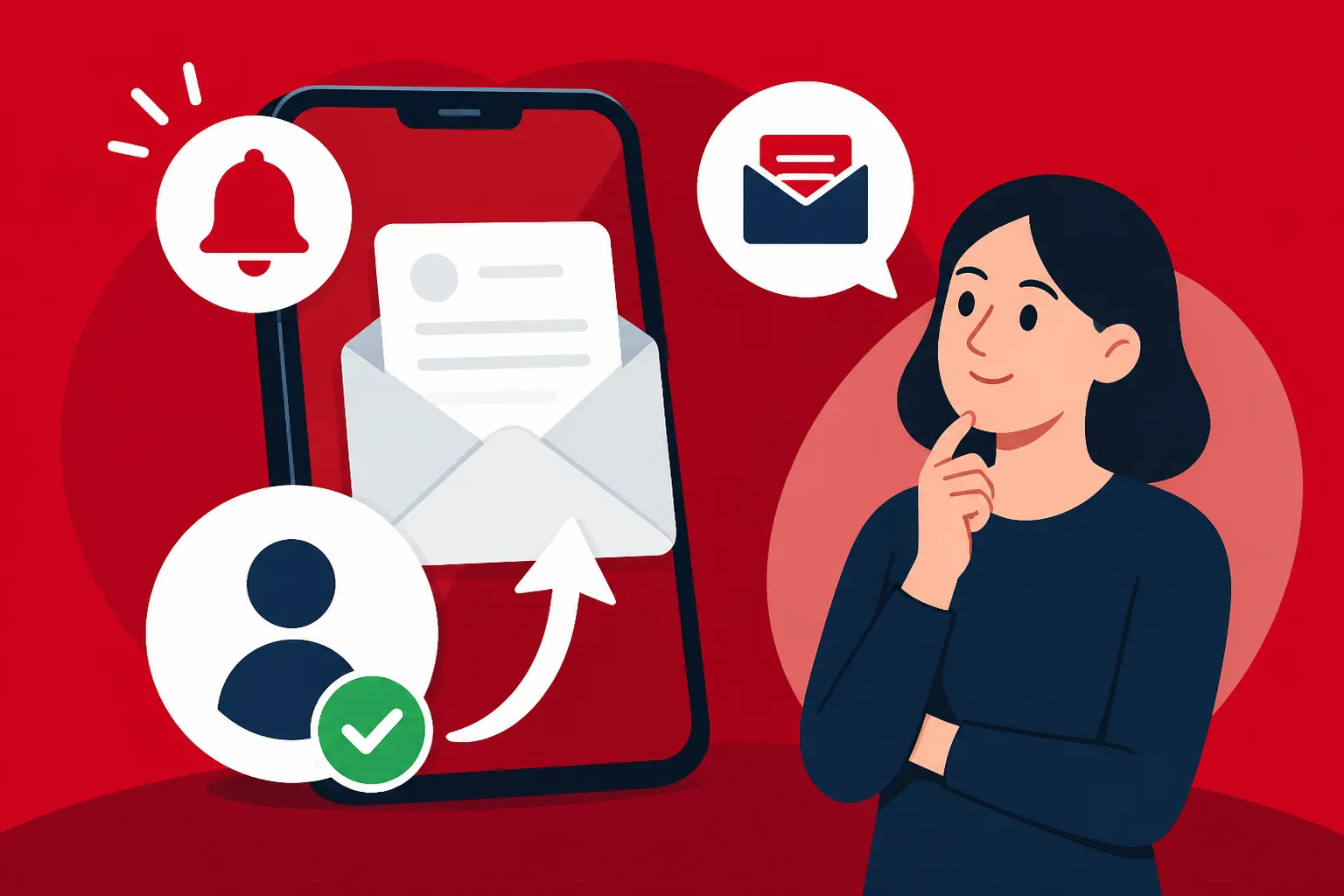
- Crucially, verify your notification preferences. You want to make sure you're set to receive alerts via email and/or SMS whenever new mail lands in your E-Boks.
- Look for "Notifikationer" (Notifications) or "Varslinger" (Alerts) within your settings.
- Choose to receive notifications for all new mail, not just specific senders.
- This is often the missing link for expats – even if your email is correct, if notifications are off, you won't know when to log in and check.
- Re-verify Your Contact Details (if prompted):
- Sometimes, after updating contact information, E-Boks might send a verification link to your new email or a code to your new phone number to confirm the change. Follow these steps to complete the verification.
Remember, while your CPR address update on Borger.dk is crucial, E-Boks itself relies on you to keep its contact details current so it can alert you. It's a system designed around proactive user engagement.
E-Boks vs. Mit.dk: What You Need to Know
Just when you thought you had E-Boks figured out, Denmark introduced Mit.dk! It can feel like another layer of complexity, but understanding the relationship between the two is key for managing your digital post.
Mit.dk is a newer digital mailbox solution that essentially functions as an alternative or supplementary platform to E-Boks. It was developed by a different consortium but serves the same core purpose: to securely deliver digital mail from public authorities and private companies to citizens. Think of it like having two different email providers (Gmail and Outlook, for instance) but both receive mail from the same senders.
The Coexistence and Your Choice
For a period, both E-Boks and Mit.dk will operate in parallel. This means that public authorities are required to send your digital mail to both platforms, ensuring you receive it regardless of which service you prefer or actively use. However, private companies may choose to send to one or both.
For you, the expat, the most important takeaway is this:
- You don't necessarily need to manage two separate "digital addresses" in the sense of updating personal details for each. Your core personal data is linked to your CPR number, and your MitID is the universal login.
- You do need to check both platforms regularly, or ensure your notification settings are robust on whichever platform you prefer to actively use. Most people pick one as their primary checker.
- The system is designed so that if you set up email/SMS notifications on either E-Boks or Mit.dk, you should be alerted when new mail arrives, no matter which platform it lands on.
- Over time, there might be a move towards one unified solution, but for now, be aware that official mail might appear in either. Many public services are moving towards Mit.dk as the default, so it's a good idea to familiarise yourself with it just as much as E-Boks.
Ultimately, your goal is to ensure you don't miss any crucial communications. Whether that means diligent checking of E-Boks, Mit.dk, or both, depends on your preference and which platform you find more user-friendly. Just make sure your notification settings are solid on at least one of them! You can typically choose which digital mailbox you prefer to receive mail from public authorities in through Borger.dk, under "Digital Post."
General Tips for Expats Navigating Digital Post
Moving to Denmark and figuring out this digital bureaucracy can feel like trying to solve a Rubik's Cube blindfolded. But with a few simple habits and proactive steps, you can avoid a lot of potential headaches.
Don't Forget About Digital Mail When You Move
When you're caught up in the whirlwind of finding a new apartment, packing, unpacking, and setting up utilities, it's easy to overlook the "digital" side of moving. Always put "Check and update E-Boks/Mit.dk" on your moving checklist right after "Update CPR address on Borger.dk." It’s as important as making sure you have a working phone with a good data plan, perhaps even using a service like Airalo if you're newly arrived and need an eSIM to stay connected digitally for your MitID verification.
Language Barriers and Digital Post
For many expats, the biggest hurdle with E-Boks (and Mit.dk) is the Danish language. While the platforms themselves might offer some English navigation, the content of the actual letters and documents will almost certainly be in Danish. This can be incredibly frustrating, especially when it's a critical document from SKAT or a medical appointment.
- Google Translate is your friend: Copy-pasting text into Google Translate can give you a rough idea. For official documents, consider getting a trusted Danish-speaking friend or colleague to help you understand the gist.
- Leverage your workplace: If you're employed, your HR department or a Danish colleague might be able to help translate or explain particularly complex documents, especially those related to your employment, salary, or tax cards.
- Professional help: For truly critical legal or financial documents, don't hesitate to seek professional help from an English-speaking accountant or lawyer specializing in expat affairs. It might cost a bit, but it could save you a lot more in the long run.
Link E-Boks to Your Other Digital Services
Many private companies, like your bank, insurance provider, or even some pension funds, will ask for your consent to send you digital mail via E-Boks. Always grant this consent if it's an organization you trust. This streamlines your communication and keeps everything in one central, secure place. You might also find links to your E-Boks from your bank's online platform or from Borger.dk, which further integrates your digital life.
Set Up Your NemKonto Correctly
While not directly about E-Boks, ensuring your NemKonto is properly set up is critical for receiving money from public authorities (like tax refunds or sickness benefit). E-Boks often contains notifications about payments being made or requested, so having your NemKonto linked correctly ensures you receive any money due to you and can pay bills efficiently.
Regularly Check Your Digital Mailbox
Even with robust notification settings, it's a good habit to log into E-Boks (or Mit.dk) at least once a week. Sometimes notifications can be delayed, or perhaps an email goes into your spam folder. A quick check ensures you're always on top of things. You can even download the E-Boks app (or Mit.dk app) to your phone for easy access on the go.
Here's a quick comparison of the two main platforms:
| Feature | E-Boks | Mit.dk |
|---|---|---|
| Primary Purpose | Secure digital mail from public/private | Secure digital mail from public/private |
| Login Method | MitID | MitID |
| Age | Established (since 2001) | Newer (launched 2021) |
| Default for Public Auth. | Was the default, now shares with Mit.dk | Increasingly the preferred platform for public |
| Notifications | Email/SMS alerts for new mail | Email/SMS alerts for new mail |
| App Available | Yes | Yes |
| User Interface | Traditional digital mailbox layout | More modern, chat-like interface |
| Who Must Use It? | All citizens with CPR number for official mail | All citizens with CPR number for official mail |
Don't let the administrative side of Denmark intimidate you. With a little diligence and understanding of these essential digital tools, you'll be navigating official communications like a seasoned Dane in no time.
Disclaimer
Please remember that while I strive to provide accurate and up-to-date information based on my experience and available public data, I am not a legal or financial professional. Rules and regulations in Denmark can change, and individual situations vary greatly. Always consult official Danish government websites (like Borger.dk, SKAT.dk, SIRI.dk) or seek professional advice from qualified experts for your specific circumstances.