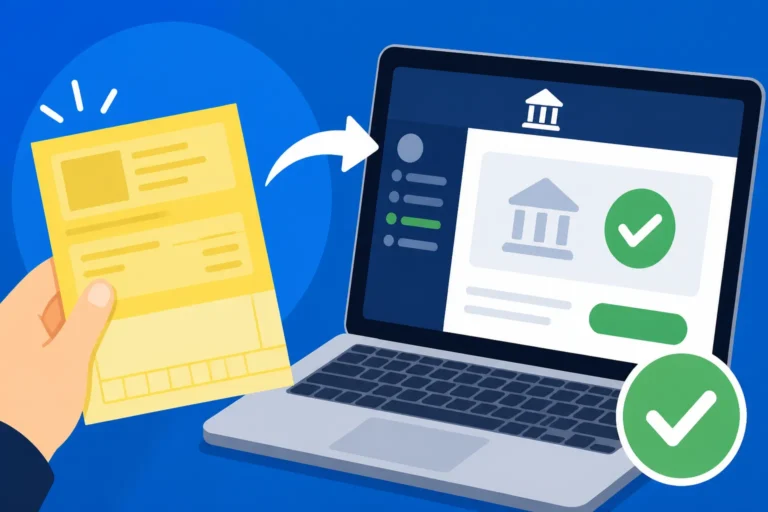
How to Pay Your SKAT Bill Using MobilePay in 2026
Moving to Denmark often feels like learning to live in the future, but that future comes with a hefty dose of administrative precision. One of the most stressful moments for any expat is opening the annual tax statement and realizing you owe money back to the state. This guide provides a comprehensive walkthrough on how to settle your tax debt using MobilePay, ensuring you navigate the digital bureaucracy with confidence and ease.
The Digital Reality of Danish Tax Payments
Denmark is a country that has almost entirely phased out physical cash and paper checks. If you have been living here for even a few months, you already know that your life revolves around your phone and your MitID. When the tax season rolls around in March and April, the conversation at every dinner table and office canteen inevitably turns to the "Årsopgørelse." For many of us, this results in a "restskat"—an underpayment of tax that needs to be settled.
The Danish tax authority, SKAT, has done a remarkable job of making it easy to pay what you owe. Gone are the days of queuing at a bank or trying to figure out complicated international wire transfers for small amounts. By 2026, the integration between the SKAT portal (TastSelv) and MobilePay has become the gold standard for settling these balances. It is fast, secure, and provides an immediate digital receipt. However, the process still requires you to have your digital ducks in a row. Before you even attempt to pay, you need to ensure your Taxes in Denmark Explained: A-Skat, AM-bidrag, and Marginal Rates are correctly understood so you aren't paying more than you actually owe.
Why MobilePay is the Preferred Method for Expats
As an expat, you likely manage multiple financial apps. You might use Wise to move money from your home country, and you likely have a local Danish account for your salary. MobilePay acts as the bridge. The reason most veterans prefer it over a standard bank transfer is the "instant" factor. When you pay via a bank transfer (using a "betalingslinje"), it can take a few days for the SKAT system to update. With MobilePay, the link is nearly instantaneous, giving you that much-needed peace of mind that your debt is cleared.
Furthermore, the mobile interface is often more intuitive than the desktop version of a Danish bank’s "Netbank." If you are still getting used to the terminology on your Understanding Your Danish Payslip (Lønseddel): Deductions Decoded, seeing a simple "Swipe to Pay" button in a familiar app can lower the heart rate significantly during a stressful tax season.
Understanding the Restskat Thresholds
It is important to note that if your tax debt is under a certain amount (usually around 25,000 DKK, though this fluctuates with annual budget laws), SKAT will often offer to "carry it over" to the following year's tax bill. This sounds convenient, but they charge interest on that "loan." Paying it immediately via MobilePay is almost always the smarter financial move. If the amount is larger, or if your financial situation is complex—perhaps you have income in both the US and Denmark—you might want to consult with Taxes for Expats to ensure your foreign tax credits are being applied before you hit that pay button.
Prerequisites for a Smooth Payment Experience
You cannot simply download the app and pay a government bill without a specific digital infrastructure. Denmark’s security protocols are tight, and for good reason. To pay your SKAT bill via MobilePay, you must have a fully functional MitID linked to a Danish bank account. If you are a new arrival, you have likely already realized that Setting Up Your NemKonto: How to Link It to Receive Salary and SU is the first major hurdle of Danish life. Without a NemKonto, the tax system cannot accurately track your payments or issue refunds.
The MitID Connection
In 2026, MitID is the heartbeat of all official transactions. You will need to use the MitID app to log into the SKAT website (skat.dk). If you haven't used it in a while, ensure the app is updated. There is nothing more frustrating than being ready to pay a bill only to find yourself locked out of your digital identity. If you do run into issues, you should check out our guide on What to Do If You Lose Your MitID Access and Are Locked Out before proceeding.
Bank Limits and MobilePay Settings
MobilePay has daily and yearly spending limits. While these are usually high enough for a standard tax bill, if you have a significant "restskat" (perhaps due to selling property or shares), you might hit your ceiling.
- Open your MobilePay app.
- Go to "Settings" (the gear icon).
- Select "Limits."
- Check your remaining daily and yearly allowance.
If your tax bill exceeds your MobilePay limit, you may need to use a standard bank transfer or pay in installments. For those moving money from abroad to cover these costs, using Wise to top up your Danish account before initiating the MobilePay swipe is a strategic move to avoid the high conversion fees typical of traditional Danish banks.
Ensuring Your Card is Verified
Sometimes, MobilePay transactions to government entities fail because the underlying debit card (like a Dankort or Visa) hasn't been verified for "3D Secure" payments or because the bank perceives the large payment to SKAT as a fraud risk. It is a good idea to perform a small transaction, like buying a coffee or a grocery item, earlier in the day to ensure your Using MitID for Banking: Security, Device Registration, and App Setup is working perfectly with the MobilePay interface.
Step-by-Step Guide to Paying via TastSelv
Now that your technical setup is ready, let's go through the actual process of making the payment. This happens within the "TastSelv" (Self-Service) portion of the SKAT website. While the portal is available in English, many of the deeper sub-menus still default to Danish, so keep this guide handy.
Step 1: Accessing Your Tax Assessment
First, log in to skat.dk using your MitID. You want to navigate to the section labeled "Årsopgørelse" (Annual Tax Assessment). This is where the final calculation of your taxes for the previous year lives. You will see a summary. If the text is red and says "Du skal betale restskat," that is your cue.
This total is calculated based on your Preliminary Tax Assessment (Forskudsopgørelse): Avoiding Tax Debt. If you didn't update your expected earnings or deductions during the year, this is why you are seeing a bill now. Click on the year in question to see the full breakdown.
Step 2: Initiating the Payment
Once you are looking at your assessment, look for a button that says "Betal" (Pay). By 2026, SKAT has placed this button prominently at the top and bottom of the assessment screen.
- Click "Betal."
- You will be presented with several options: "Betalingskort" (Credit/Debit Card), "MobilePay," and "Netbank" (Bank Transfer).
- Select "MobilePay."
Step 3: The MobilePay Handshake
After selecting MobilePay, the website will ask for your phone number. Enter the number associated with your MobilePay account.
- Click "Fortsæt" (Continue).
- A notification will pop up on your phone. If it doesn't appear within five seconds, open the MobilePay app manually.
- You will see a payment request from "Skattestyrelsen."
Verify the amount matches exactly what you saw on the screen. There are no fees for using MobilePay for this transaction. Once verified, "Swipe to Pay." You will see a confirmation screen in the app with a digital checkmark, and the SKAT website should automatically refresh to show a "Tak for din betaling" (Thank you for your payment) message.
Step 4: Confirming the Receipt
Never just close the tab. Wait for the SKAT portal to generate a receipt number. You should also be able to see the transaction in your The Annual Tax Assessment Notice (Årsopgørelse): Claiming Deductions history within a few minutes. If the payment doesn't show up immediately as "Paid" on the main dashboard, don't panic. Sometimes the synchronization takes until the next business day, but your MobilePay receipt is your legal proof of payment.
Troubleshooting and Comparison of Payment Methods
Even the best systems can have hiccups. If your MobilePay transaction fails, it is usually due to one of three things: a bank limit, a timeout in the MitID authentication, or a temporary server error on the SKAT side. If you have moved recently, make sure your Setting Up MobilePay Without a Danish Credit Card: Step-by-Step process was completed correctly with your current address and card details.
| Payment Method | Speed of Processing | Ease of Use | Best For |
|---|---|---|---|
| MobilePay | Instant | Extremely High | Amounts under 15,000 DKK |
| Dankort / Credit Card | Instant | High | Users without MobilePay |
| Bank Transfer | 1-3 Business Days | Moderate | Very large amounts (over 50k) |
| Wise Transfer | 1-2 Business Days | Moderate | Paying from foreign currency |
What to Do if the Payment Fails
If the MobilePay request never reaches your phone, check if you have "Notifications" enabled for the app. If you are using a VPN on your computer or phone, turn it off. Danish government sites often block non-EU IP addresses for security reasons during payment phases. If all else fails, you can resort to the "Betalingslinje." This is a long string of numbers that you copy and paste into your bank's "Transfer/Pay Bill" section. It's slower, but it's the foolproof backup method.
Dealing with Large Tax Bills
If your bill is massive—say, 100,000 DKK—MobilePay likely won't be an option due to the app's internal security limits. In this case, you should look at Traditional Banks vs. Digital Banks (Lunar): Which is Best for Expats? to see how your specific bank handles large outgoing transfers to the state. Some banks require a phone call to authorize a transfer of that size to a government account.
A Note on Timing and Interest
The Danish tax year is strict. If you pay your restskat before July 1st of the year following the tax year, the interest rate is significantly lower than if you wait until the end of the year. By using MobilePay as soon as your Årsopgørelse is ready in March, you save yourself a few hundred (or thousand) kroner in interest. It’s the easiest financial "win" you can have in the Danish system.
Maximizing Your Tax Position Before Paying
Before you swipe that MobilePay button, take one final look at your assessment. Are all your deductions there? Many expats forget the "Kørselsfradrag" (commuting deduction) or the deduction for A-Kasse fees. If you realize you missed something, you can actually edit your assessment, and the "amount to pay" will update in real-time. Only after you are certain the number is as low as legally possible should you proceed with the payment.
Navigating the Danish tax system is a rite of passage for every expat. Whether you are a student settling a small bill or a high-earner dealing with the 2026 tax brackets, the ability to pay via MobilePay is a testament to how efficient life in Denmark can be once you have the right tools. Keep your MitID ready, watch your bank limits, and remember that settling your taxes is just another step toward full integration into this remarkably organized society.
Disclaimer
This guide is for informational purposes only and does not constitute professional tax, legal, or financial advice. Tax laws and digital payment regulations in Denmark can change frequently. Always consult the official Skattestyrelsen website (skat.dk) or a qualified tax professional for the most current information regarding your specific situation.